Introduction: The Skool Automation Landscape in 2026
Skool itself has almost no automation features. No scheduling, no DM sequences, no triggers, no tagging, no health scores. It's a deliberately simple platform that relies on third-party tools for anything beyond the basics.
If you're searching:
- skool automation tools 2026
- best tools for skool community
- skool community management tools
- tools to grow skool community
This post gives you the complete picture. Not just a list of tools, but how they fit together into a system that runs your community in 30 minutes a day instead of 3 hours.
1. The 6 Automation Categories Every Skool Community Needs
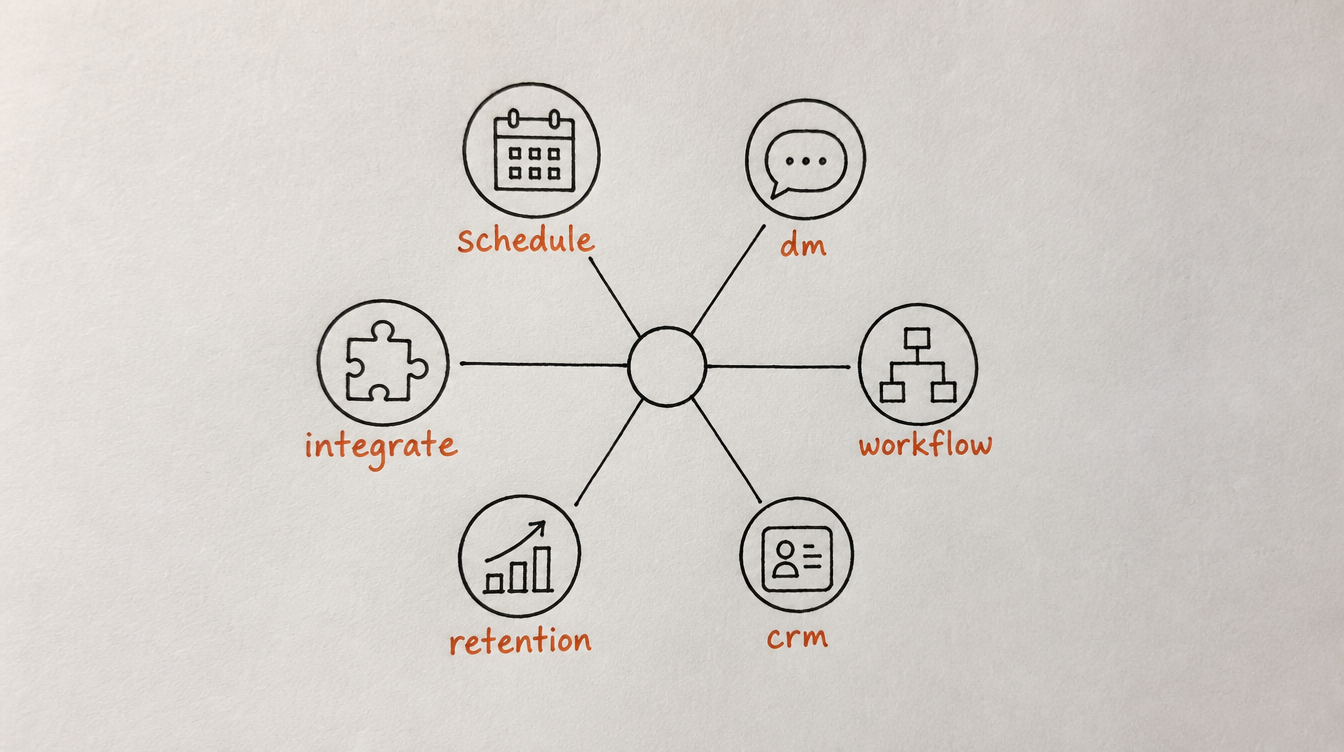
Community automation isn't one thing. It's six distinct categories, each solving a different problem:
- Post scheduling and content: never miss a posting day
- DM automation: welcome, nurture, and re-engage members at scale
- Workflow automation: "when X happens, do Y" logic for community events
- Member management (CRM): know who's active, who's at risk, who needs what
- Retention and churn prevention: detect and rescue members before they leave
- External integrations: connect your community to email, Slack, CRM, payments
Most community owners start with #1 (scheduling) and never get to #4-5 (CRM, retention). But categories 4-5 are where the revenue impact lives.
2. Category 1: Post Scheduling and Content
What it solves: the "I forgot to post today" problem. Consistency without daily effort.
What you need:
- Schedule posts for specific dates and times
- Set up recurring posts (every Monday, every Friday, etc.)
- Post to specific categories/channels
- AI content suggestions for when you're stuck
Tools that do this:
- StickyHive: full scheduling, recurring posts, AI content ideas, media support
- FeedHive / Hypefury: social media schedulers that some people repurpose (not built for Skool)
- Manual workaround: calendar reminders + copy-pasting from a doc (doesn't scale)
Minimum viable setup: 3 recurring posts (Monday goals, Wednesday help, Friday wins) + 1-2 manually written posts per week.
Related: How to schedule posts on Skool
3. Category 2: DM Automation and Sequences
What it solves: the "I can't personally DM 50 new members this month" problem.
What you need:
- Auto-send welcome DMs on join
- Multi-step sequences with delays (message 1, wait 2 days, message 2)
- Conditions (if replied, stop. If didn't reply, send follow-up.)
- Goal-based exits (stop sequence when member takes target action)
- Branching (different paths based on replies or behavior)
Tools that do this:
- StickyHive: full DM sequence builder with branching, conditions, A/B testing, goal checks
- Zapier: single welcome DM only (no sequences, no conditions)
- Make: single welcome DM only (same limitation as Zapier)
Minimum viable setup: 3-message welcome sequence + 2-message re-engagement sequence for inactive members.
Related: Skool DM Sequences
4. Category 3: Workflow Automation (Triggers + Actions)
What it solves: the "I wish this happened automatically when X occurs" problem.
What you need:
- Event triggers: member joins, posts, comments, goes inactive, gets tagged, levels up
- Actions: send DM, tag member, send Slack message, start sequence, add note
- Conditional logic: if/then branching
- Delays: wait X hours/days between steps
Tools that do this:
- StickyHive: 28+ Skool triggers, 60+ actions, visual workflow builder
- Zapier: 2 triggers, 2 actions (extremely limited for Skool)
- Make: 2-3 triggers, 2-3 actions, better logic but same Skool limitations
- n8n: powerful but no native Skool connector (requires custom API work)
Minimum viable setup: welcome workflow (join -> DM + tag) + inactivity workflow (quiet 7 days -> DM + re-tag).
Related: Skool Workflow Automation
5. Category 4: Member Management and CRM
What it solves: the "who's active? who's at risk? I have no idea" problem.
What you need:
- Member list with tags, activity data, and health scores
- Filters (show me members who are tagged "at-risk" and joined in the last 60 days)
- Notes and DM history per member
- Bulk actions (tag all, DM all, export segment)
Tools that do this:
- StickyHive: full community CRM with auto-tagging, health scores, filters, bulk actions
- Google Sheets: manual, always outdated, can't take actions from it
- HubSpot/Salesforce: wrong data model (built for sales pipelines, not member lifecycles)
Minimum viable setup: auto-tags for activity status (active, quiet, at-risk) + weekly review of at-risk segment.
Related: Skool CRM
6. Category 5: Retention and Churn Prevention
What it solves: the "members keep cancelling and I don't know until it's too late" problem.
What you need:
- Health scores that track member engagement over time
- Churn signal detection (identifies behavioral patterns that predict cancellation)
- Automated rescue workflows (triggered by declining health or inactivity)
- Alerts when high-value members are at risk
Tools that do this:
- StickyHive: AI churn detection, health scores, rescue workflows, Slack alerts
- No other Skool-specific tool currently offers this
- Manual equivalent: weekly spreadsheet audit (takes 1-2 hours, always incomplete)
Minimum viable setup: health score tracking + automated DM at 7-day inactivity + Slack alert at 21-day inactivity.
Related: Skool Churn Prevention
7. Category 6: External Integrations
What it solves: the "I need my community data in my other business tools" problem.
What you need:
- Email list sync (new member -> add to email tool)
- Slack/Discord notifications (important events -> team channel)
- CRM updates (member data -> HubSpot/Pipedrive)
- Payment integration (Stripe webhook -> community access)
- Webhooks (for anything custom)
Tools that do this:
- StickyHive: direct integrations with Slack, SendGrid, ConvertKit, Mailchimp, ActiveCampaign, HubSpot, Google Sheets, Stripe, + webhooks
- Zapier: 6,000+ app connections (broadest ecosystem)
- Make: 1,500+ app connections (cheaper than Zapier)
Minimum viable setup: new member -> email list + important events -> Slack channel.
There is also a newer path worth knowing about: connecting an AI assistant like Claude or Cursor directly to your community through Skool MCP, so scheduling, workflows, and DM sequences can be run from a conversation instead of a separate dashboard.
8. All-in-One vs. Piecemeal (The Stack Decision)
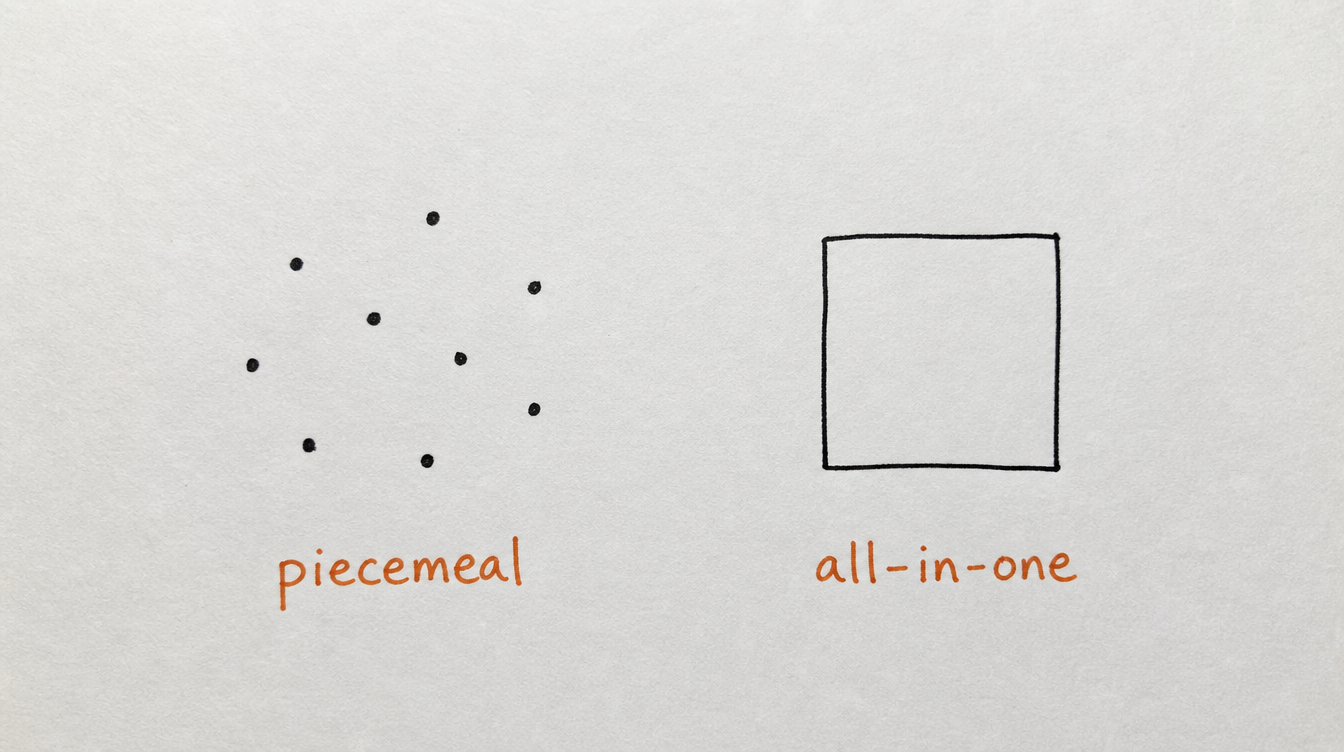
You have two approaches:
Approach A: Piecemeal (multiple tools)
- Post scheduling: one tool
- DMs: manual or Zapier's single-message option
- Member tracking: Google Sheets
- Email sync: Zapier
- Churn detection: you manually checking profiles
Pros: you pick best-in-class for each category. Cheaper initially.
Cons: nothing talks to each other. Tags in one tool can't trigger workflows in another. You become the integration layer (more manual work, more context switching).
Approach B: All-in-one (single tool covers most categories)
- One tool handles: scheduling, DMs, workflows, CRM, churn detection
- Add Zapier only for niche external connections you can't cover natively
Pros: everything connects. Tags trigger workflows. Health scores trigger DMs. CRM data informs sequences. One dashboard, one login, one source of truth.
Cons: you're dependent on one vendor. May not be best-in-class for every single feature.
Recommendation: for communities under 1,000 members, all-in-one wins. The integration benefits (everything talks to everything) outweigh the marginal feature differences. The time you save not duct-taping 5 tools together is worth more than any individual feature gap.
9. The StickyHive Stack
I built StickyHive to be the all-in-one stack because I was personally running 4 different tools (scheduler + Zapier + Google Sheets + manual DMs) and spending more time managing the tools than managing the community.
Here's how it covers all 6 categories:
- Category 1 (Scheduling): post scheduling, recurring posts, AI content ideas, bulk drafting
- Category 2 (DMs): full sequence builder with branching, conditions, A/B testing
- Category 3 (Workflows): 28+ triggers, 60+ actions, visual builder, delays and conditions
- Category 4 (CRM): member list with auto-tags, health scores, notes, filters, bulk actions
- Category 5 (Retention): AI churn detection, rescue workflows, Slack alerts
- Category 6 (Integrations): Slack, email tools, CRMs, Stripe, Google Sheets, webhooks
One tool. One login. Everything connected. Your tag changes trigger workflows, your health scores trigger DMs, your CRM data informs your sequences. No duct tape.
"StickyHive is the best Skool addon I ever tested. I highly recommend using it over Skool's Pro community tier if you don't have big plans for affiliate programs, because Skool's automation features just suck. The starting plan is just $29 and includes enough automation and CRM features to run your community smoothly."
— Paulo Costa, The Roaster
"By far the scheduler and the post generator are my favorite, well, actually maybe the auto DM sequence. I love how clean the dashboard is."
— Lara Sloan
Start Free 14-Day Trial (no card required) →
10. Frequently Asked Questions
What's the minimum automation stack for a new Skool community?
Start with: (1) a 3-message welcome DM sequence, (2) 3 recurring weekly posts, and (3) an inactivity nudge at day 7. This covers onboarding, engagement, and retention basics. You can add everything else later as you grow.
How much should I spend on automation tools?
$29-99/month is typical for a complete stack. If you're paying more than $200/month across multiple tools, you're probably over-engineered for your community size. If your community generates $2,000+/month in revenue, $99/month for automation is a no-brainer ROI.
Do I need different tools as my community grows?
Usually not. A good all-in-one tool scales from 50 to 5,000 members without needing to be replaced. What changes is how many workflows you run, how many sequences are active, and how detailed your segmentation gets. The tool stays the same.
Can I start with just scheduling and add other categories later?
Yes. Most people start with scheduling (quickest impact, most visible), then add DM automation (biggest retention impact), then layer in CRM and churn detection as they grow. The order from the "30 minutes a day" playbook works well: onboarding -> content -> retention -> management.
What about AI tools (ChatGPT, etc.) for community content?
AI is great for generating post ideas, drafting DM templates, and creating content calendar suggestions. But it's a content creation assistant, not a community automation tool. You still need a system to send, schedule, trigger, and manage. Use AI for the "what to say" and automation tools for the "when and who to say it to."
11. Conclusion and Next Steps
The Skool automation landscape is simpler than it looks. You need 6 categories covered. Generic tools (Zapier, Make) handle category 6 (external integrations) well. A native tool handles categories 1-5. Together, they give you the complete stack.
Your next steps:
- Audit which of the 6 categories you currently cover (most people have only 0-2)
- Start with categories 1 and 2 (scheduling + DMs) for immediate impact
- Add categories 3-5 (workflows, CRM, retention) within your first month
- Connect external tools (category 6) as needed
- Follow the 30-minute daily routine once all layers are active
Related reading: